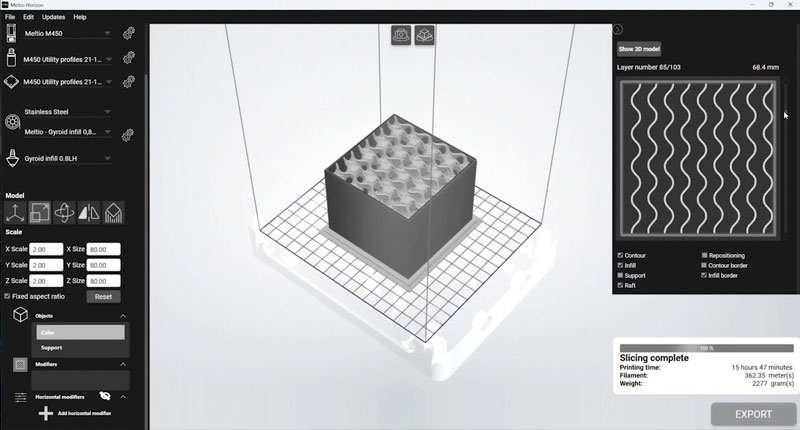

Choose your Meltio Horizon subscription
All plans include one Horizon software license with two seats plus Meltio support during the active subscription period
Subscription plans
All prices are exclusive of VAT
Automatic renewal and cancellation
All subscriptions renew automatically at the end of each term unless cancelled before the renewal date.
The software remains active until the already purchased subscription period.
How it works
Select your subscription
Choose the plan that best suits your needs
Complete your payment
Secure payment processed by Stripe
We process your license
We prepare and activate your Meltio Horizon License
Receive confirmation
You’ll receive a confirmation email with your license details.
Meltio Horizon support
- Slicing workflows
- Parameter configuration
- Setup and use
- License activation
- License reassignment
Change your licensed computer
Need to move your Meltio Horizon license to a different computer?
License reassignment can be requested through the Meltio ticketing system or customer platform. The process typically takes 1–2 business days.
Need additional seats?
Additional Meltio Horizon seats are available upon request.
You can submit your requirements through the Meltio ticketing system or customer platform, and our team will provide the corresponding quotation.
Frequently asked questions
The discount applies to the 3-year Meltio Horizon subscription. The price shown for the 3-year option reflects a 15% saving compared with purchasing the annual subscription for three consecutive years.
Your subscription begins on the confirmed licence activation or renewal date, unless otherwise stated in your quotation, order confirmation, or commercial agreement. Annual Horizon licences are valid for 12 months, multi-year subscriptions remain valid for the purchased term, and perpetual Horizon licences do not expire.
Yes. The full amount for the selected subscription period is charged when the purchase is completed.
Yes. Subscriptions purchased through this page renew automatically at the end of the selected term unless you request cancellation before the next scheduled renewal. We recommend reviewing the renewal approximately two months before expiration. Horizon may display a warning approximately 30 days before an annual licence expires and may be deactivated if the renewal is not completed.
No. Cancellation only prevents the next renewal. Your license remains active until the end of the period already purchased and paid for.
Yes. During your active subscription, you can contact Meltio for assistance with slicing workflows, parameter configuration, software use, license activation, and license management through Meltio Customer Portal. For Perpetual licenses software updates are included for two years from the license activation date.
Yes. Open the Horizon menu on the current computer and select “Deactivate.” The released seat can then be activated on another computer. If the previous computer is no longer accessible, submit a request through the Meltio Customer Portal for assistance with the licence activation.
No. Each seat can only be activated on one physical computer at a time. However, each Horizon licence includes two seats and can therefore be activated on up to two computers.
The available payment methods are displayed during checkout and may vary depending on your country and currency.
Yes. You will receive payment confirmation, and the corresponding invoice will be managed through Meltio’s official invoicing system.
Secure Payments powered by Stripe
Your payment information is encrypted and secure